Accessory
From SpiralKnights

An Accessory is an aesthetic item that can be attached by Bechamel to a helmet or armor to modify the player's appearance. Accessories have no effect on combat or gameplay, other than possibly making knights more or less visible to each other. Most accessories come in a large selection of colors, with several having a variety of slightly different forms.
Contents
Acquisition
Individual accessory pages will have more specific acquisition information. There are many minor acquisition anomalies. In general, accessories can be obtained via:
- Lockbox: Many accessories can be obtained from lockboxes. A lockbox requires a Silver Key to be opened.
- Prize Box: This type of box is available during events or promotions. They tend to gift various accessories that pertain to that promotion. These boxes don't need keys to be opened.
- Rank Mission reward: A selection of Crests can be obtained once per knight as mission awards. These are bound.
- Auction House: Accessories may appear in the Auction House as a Featured Auction. Players may sell accessories in the Auction House as well.
- Supply Depot Sale: The Supply Depot will sometimes have transient "specials" during which accessories and other items can be bought.
- Knight Creation: These helmet accessories in standard color patterns are available to players when creating a new Knight. Of these accessories, what the player chooses becomes attached to the chosen spiral helmet.
Unattached accessories are typically unbound and can be purchased from other players via trade or the Auction House. A few bound anomalies have occurred in the past - the Pumpkin Bomb Bandolier is an example of such an anomaly. The bound condition of accessories rewarded from missions is not considered unusual, as mission rewards are bound.
Using

Once the player has an accessory, they can visit Bechamel the Accessorizor on the far western side of the Haven Bazaar to preview and/or attach the accessory to an item if desired. It would be prudent to preview accessories before attaching them.
Bechamel will attach accessories for free. Once an accessory is attached to an item (helmet, armor, or costume), it is permanently attached unless removed by Bechamel. There are two removal options: "removal" is free, recovery has a price in Energy.
- Removing an accessory from gear will completely destroy the accessory in the process.
- Recovering an accessory preserves the accessory instead of destroying it, returning it (as a ticket) unbound into the player's arsenal.
Attaching an accessory has no effect on the bound or unbound condition of the item it gets attached to.
Attachment
Accessories are organized by attachment location and can only be attached to gear that supports, or has slots for, that attachment location. Only one accessory may be attached per slot on a piece of equipment.
Not all gear can use all accessories. Consult the tooltips to determine which accessories can fit your gear. Locations include:
-
 Helmet Top
-
 Helmet Front
-
 Helmet Back
-
 Helmet Side
-
 Armor Front
-
 Armor Back
-
 Armor Rear
-
 Armor Ankle
-
 Armor Aura


Upgrading Gear
Upgrading helmets or armor with an accessory attached does not destroy the attached accessory, unless the attached accessory's slot is not available on the to-be-crafted item. This the case while crafting an Ash Tail Coat with an Aura to a Skolver Coat - in this case, the aura disappears! Plan ahead and pay special attention so you don't accidentally destroy your accessories.
Removal
For a long time, accessories could only be removed via destruction of the accessory by using a Removal ticket on the slot at Bechamel's. This can be done at no cost, and the purpose of this is to free up the accessory slot for a different accessory.
During the Anniversary Celebration of 2014, Accessory Recovery Tickets were introduced. "Recovery" removes an accessory from an item, giving the player a ticket for the removed accessory in their arsenal. The item is otherwise preserved, with UVs, heat, and other accessories unchanged. The accessory that was recovered is unbound, ready to be attached or sold.
All removal tickets are free from Bechamel. All recovery tickets are in the Supply Depot. You will get a notification about the recovery tickets when removing an accessory at Bechamel.
- A REMOVAL ticket will have a reddish pink icon, and the interface button will say "Remove" - this destroys the accessory.
- A RECOVERY ticket will have a blue/prismatic look to it, and the interface button will say "Recover" - this puts the accessory ticket into the player's arsenal
Recovery Ticket Prices:
| Name | Price (Energy) |
|---|---|
 Recover Helm Top Accessory Recover Helm Top Accessory
|
5,000 
|
 Recover Helm Front Accessory Recover Helm Front Accessory
|
3,500
|
 Recover Helm Back Accessory Recover Helm Back Accessory
|
3,500
|
 Recover Helm Side Accessory Recover Helm Side Accessory
|
3,500
|
 Recover Armor Front Accessory Recover Armor Front Accessory
|
5,000
|
 Recover Armor Back Accessory Recover Armor Back Accessory
|
8,000
|
 Recover Armor Rear Accessory Recover Armor Rear Accessory
|
8,000
|
 Recover Armor Ankle Accessory Recover Armor Ankle Accessory
|
8,000
|
 Recover Armor Aura Accessory Recover Armor Aura Accessory
|
10,000
|
Economics

|
The topic of this article or section is subject to personal opinion, and does not represent any one absolute truth. |
| If you disagree, discuss your concerns on the the talk page before editing. |

Being frugal in general: the game usually introduces new aesthetics on a regular basis. Players might want to design new outfits or change old ones depending on what's available. Accessories may not be worth the recovery cost if freeing up a slot is desired. For example, destroying a cool vitakit for wings would probably be preferable to recovering the vitakit, as several vitakits could likely be obtained for less cost than a single recovery ticket. The choice is up to you. Bear in mind, accessories are probably desired by other players, especially rare ones, so consider selling accessories instead of destroying them. Check /2 (trade chat) or the Bazaar subforum frequently to see who might be buying/selling items, and for how much.
Bear in mind, just because an item is expensive in the depot (or considered to be expensive by the community) doesn't mean that it is popular enough to resell easily - in short, a buyer might find an expensive depot item for "cheap" from a seller attempting to "cut their losses" while other sellers insist on achieving net gain. The Auction House is often a good price checking source, though outliers frequently occur due to players posting things at "ridiculous" prices "just to see if someone buys it."
Ideal price checking sources are those that draw from lots of data over long periods of time as well as those that have a "baseline in-game price", so patterns of "popularity" or whether or not an item is steady in value can be ascertained:
- Occasionally accessories will show up in the Supply Depot for short periods of time. Prices for certain items can be somewhat variable between sales.
- The Steam Market has several items for Spiral Knights. Not all Spiral Knights items are available on the standard Steam market. Individual pages of available Steam items have graphs of sale prices over time. Read more about Steam in relation to Spiral Knights here.
- General economic records are created and maintained by players to aid each other in having a statistical valuation of items. These logs can serve as a relative guide for both sellers and buyers. Data can become inaccurate over time, because these threads are naturally transient, as is their subject matter - it would be prudent to politely cross-check thread data by asking /2 (trade chat) in-game for a "price check." The following threads may be inactive or active depending on user dedication and time, but they do contain useful data for historical note:
- Price Checking Thread - list format
- Price Checking Thread - comment-by-comment reviews by request.
- List of Merchants - list of active "merchant" players. Their services are summarized by the community here.
Aesthetics

When in Haven, pressing (F5) is a shortcut to the same option in the Recipes menu.
Players can preview accessories at Bechamel before deciding whether or not to attach an accessory. Previewing can also be accomplished in Haven by viewing the Recipe menu (default F5), or most other interactive menus (like alchemy machines, vendor lists, and so on) if visiting Bechamel is not convenient. The preview button, should it be available in an interface, will be on the bottom of the left-hand list.
Previewing is currently limited to the inspect window. This window is somewhat limited considering the full effects added my several accessories, as it does not show trailing effects and a few other things. This wiki contains many "overworld" visuals on individual accessory pages to aid players in understanding how their accessories might look during gameplay.
Overworld
See the "Gallery" section on individual accessory pages of these items for visual examples. Certain pages will have a column for "overworld" visuals, especially pages for unique accessories.
Some accessories with "glowing" special effects can be seen through certain solid objects (like the wall hiding the hidden path in D27 of Firestorm Citadel).
Colors
Accessories use the primary, secondary, or tertiary colors fairly consistently. For example, the Helm Guards and Mecha Wings use the primary color for the bulk of the item and the secondary color for the accents. Items like the Flower, Long Feather, Game Face, and Maedate use the secondary color for a majority of their coloring. The tertiary color is used for some accessories like the Headband and as a primary color for some costumes such as the Cloak and Flak Jacket. Accessories can also come in unique styles and forms.
Recolored Accessories
Certain types of accessories and costumes are commonly "recolored" for certain promotions. These promotions are usually named after a "new" color scheme.
Notes
When the player has an accessory in the Arsenal accessory section, this is a ticket for that accessory, not the accessory itself. Bechamel has the physical accessories at his accessory station. The ticket in the player's arsenal simply indicates that the player has permission to request that Bechamel attach that specific accessory to an appropriate slot on a qualified item. Players can see what an accessory looks like by itself with just a ticket, but cannot attach anything by themselves. The NPC Tylen also emphasizes that accessories are "tickets" when they are unattached in the player's arsenal.
Accessories do not have official individualized tool-tip descriptions like most other items. Accessory descriptions simply describe where and how the accessory can be attached.
Many NPCs wear accessories too. Some only accessorize depending on the season, like with scarves during Winterfest.
History
Accessories were introduced on the 4th of October in 2011. [1]
In some cases, a mistakenly bound accessory can be removed if a support ticket is filed immediately. This was not the case in the past, but was changed due to improved logging at an unspecified date:
"In the past it was our policy not to remove accessories at all. There were one or two special, good faith cases where an exception was made. We recently changed our policy because our logs are now more specific; the GMs are now able to help someone if they accidentally attach something provided they contact us right away, the request is reasonable, and they've not had such an exception in the past." - Eurydice, July 16, 2012 Admin Post
As of the Anniversary Celebration in April 2014, players can now recover their accessories with recovery tickets bought with Energy in the Supply Depot.
List
 Below is an elaborate sortable list. This show/hide contains information about how to use the list efficiently. Below is an elaborate sortable list. This show/hide contains information about how to use the list efficiently.
| |
| About the List
Navigation Click on the accessory name or visual example to navigate to individual accessory pages with more information about how to get them and other useful things. Finding Things Sort the "type" column to find items that are loosely of a certain type. Type is unofficial and not part of gameplay, and mostly derived from colloquial use and popular effects. For example, "vertical vents" are not called "ears," but a very large number of players use them to make cat, fox, wolf costumes etc. so they are tagged with "life." Another example: Plumes are probably not actually "hair," but they are so similar to "ponytails"wikipedia or "pigtails"wikipedia that plumes get the tag "hair." In short, this column is very subject to opinion, and is designed to sort things in a way that players want so they can make themed outfits. Keep in mind that most accessories are mysterious things. They don't have official tooltip descriptions in-game, so what an individual accessory is made of is speculation - for all we know, most of them could be holograms. Types include:
If the type column isn't specific enough for you, worry not! We've tried to add lots of tags or "key words" into an unofficial description in the "Notes" column:
Major Tags or "Key Words" include:
Lesser Tags and their synonyms:
If you still can't find things, you might also peruse these categories:
Organization Not all accessories come in all color styles. Some accessories have slightly (or very) different forms, like the scarf or crest. Many have special effects for certain "special" color patterns, while others do not. Organizing the large variety of accessories can be difficult. For this page, new accessories are added according to Date of Release (roughly oldest at top, descending to new, alphabetical if released at the same time), only if they are a new shape. Otherwise they are added to a list on the relevant individual accessory page. On individual pages, lists are organized primarily by the date of release of the color pattern(s) used. (this solves a previous issue with several "shadow" and other accessories). As the game releases more content, accessories might be removed from this list and added to a list on an individual page, should any updates warrant such changes. This has happened before with accessories that were once "unique" or "special," but then had many versions released later. Example: Lovely Bent Vertical Vents were originally unique, but then more Bent Vertical Vents were released, so relevant pages had to be adjusted. As such, this list and pages it links to are very dynamic. |
| Name | Visual | Slot | Type | Notes |
|---|---|---|---|---|
| Aura | 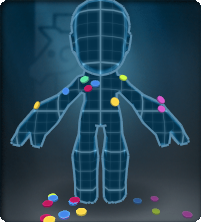
|
Armor aura |
aura | An aura adds Special Effects to armor. Many different types of this accessory exist, and they maintain consistent naming convention. |
| Barrel Belly | 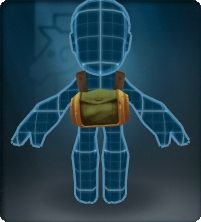
|
Armor front |
container | A central cylindrical container is attached via a strap. |
| Binocular Visor | 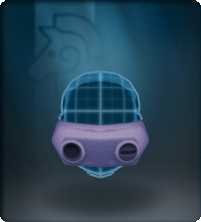
|
Helmet front |
tech | Eye gear resembling tech used for long-distance viewing. |
| Bolted Vee | 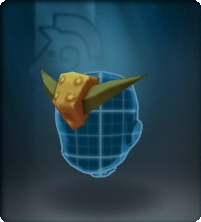
|
Helmet top |
misc | Two spikes are attached to the forehead via a thick bolt. |
| Bomb Bandolier | 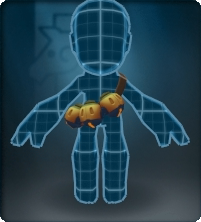
|
Armor front |
weapon (bomb) |
Three explosive-looking bombs attached via a sash. |
| Canteen | 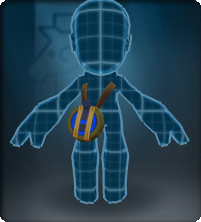
|
Armor front |
container | a container attached via a sash to the hip. Tends to flop. |
| Com Unit | 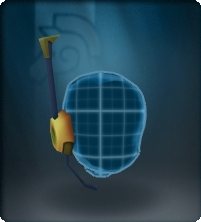
|
Helmet side |
tech | A bit of tech resembling an asymmetrical antenna and mouthpiece. |
| Dapper Combo | 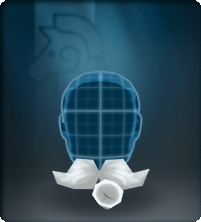
|
Helmet front |
hair | A hair piece styled similar to the real-world Handlebar moustache with an animated smoking pipe. |
| Flower | 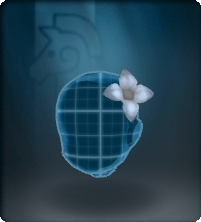
|
Helmet top |
life (plant) |
A 4-petalled blossom. |
| Game Face | 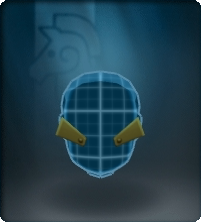
|
Helmet front |
misc | A pair of seriously angled objects with bolts that are like eyes on some helms, eyebrows on others. |
| Glasses | 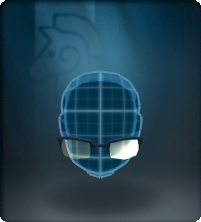
|
Helmet front |
lens | Eye gear composed of lenses. |
| Goggles | 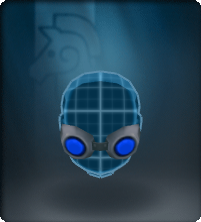
|
Helmet front |
tech | Eye gear resembling diving, swimming, cyber tech etc. |
| Halo | 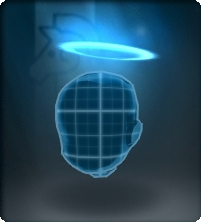
|
Helmet top |
halo | A ring made of light and/or other special effects floats over the head. |
| Headband | 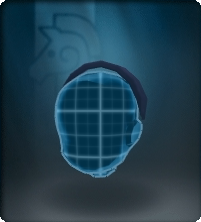
|
Helmet top |
misc | A simple band goes over the head from ear to ear. |
| Helm Guards | 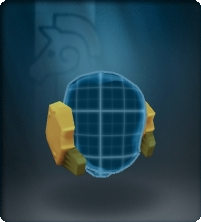
|
Helmet side |
misc | A pair of thick plates with bolts cover the ear area. |
| Helm-Mounted Display | 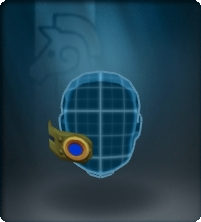
|
Helmet front |
tech | Asymmetrical eye gear resembling some sort of tech. |
| Knight Vision Goggles | 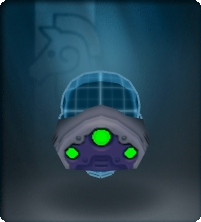
|
Helmet front |
tech | Eye gear resembling night vision tech. |
| Long Feather | 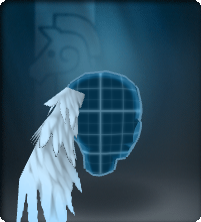
|
Helmet back |
life | An animated feather sways in the wind. |
| Maedate | 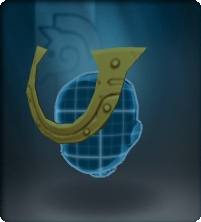
|
Helmet top |
misc | A horse-shoe shaped decoration with bolts. |
| Maid Headband | 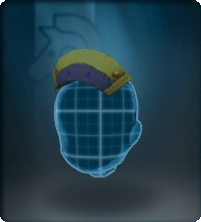
|
Helmet top |
hat | A simple hat resembling a real-world Nurses' Cap. |
| Mech'tennas | 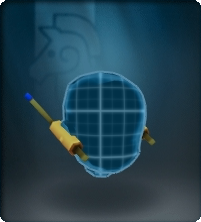
|
Helmet side |
tech | A techy pair of antenna. |
| Mecha Wings | 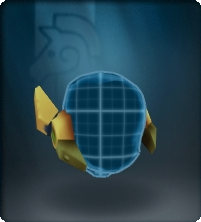
|
Helmet side |
tech | A pair of angled objects with bolts. |
| Mohawk | 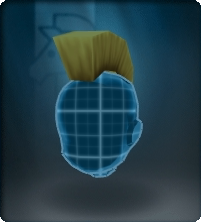
|
Helmet top |
hair | A central hair piece. |
| Mustache | 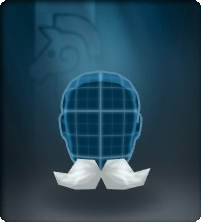
|
Helmet front |
hair | A hair piece styled similar to the real-world Handlebar moustache. |
| Pipe | 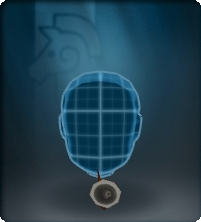
|
Helmet front |
misc | An animated pipe that is constantly smoking. |
| Plume | 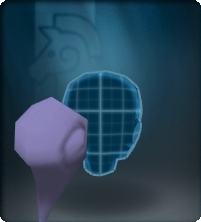
|
Helmet back |
hair | A curly, pony-tail like object that seems to resemble hair. |
| Prismatic Glow-Eyes | 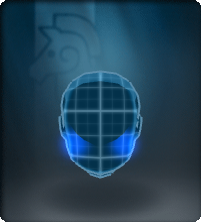
|
Helmet front |
misc | A unique accessory that adds a glowing special effect to the front of a helmet. |
| Ribbon | 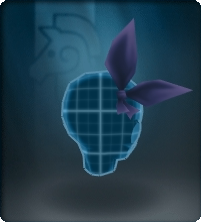
|
Helmet back |
cloth | Some cloth or fabric tied into a sort of knot/bow. |
| Toupee | 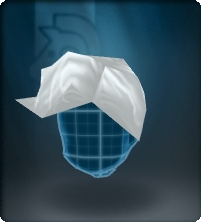
|
Helmet top |
hair | A hair piece styled similar to a real-world wig. |
| Scarf | 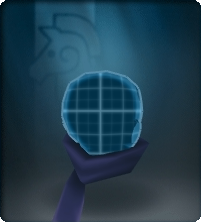
|
Helmet back |
cloth | Some cloth or fabric wrapped around the neck. A few different forms exist. |
| Side Blade | 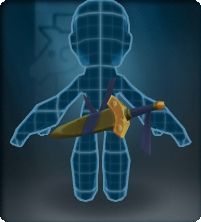
|
Armor back |
weapon (sword) |
A sword attached to the back. Tends to flop. |
| Spike Mohawk | 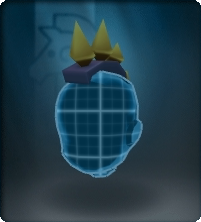
|
Helmet top |
misc | A central metal band with 4 spikes. |
| Vented Visor | 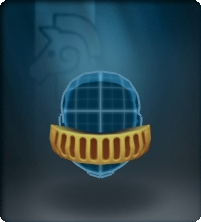
|
Helmet front |
tech | Eye gear that seems to be a slitted band covering both eyes. |
| Vertical Vents | 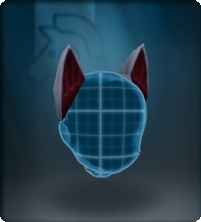
|
Helmet side |
ears | A pair of angled "animal-ear like" objects. |
| Vitakit | 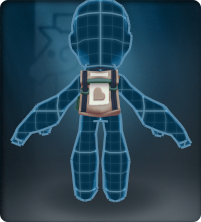
|
Armor back |
container | A small pack with a heart. |
| Wide Vee | 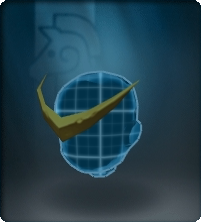
|
Helmet top |
misc | A pointy symmetrical object similar to the bolted vee. |
| Wings | 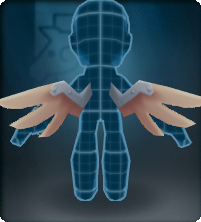
|
Armor back |
wings | A pair of angled wings. |
| Wolver Tail | 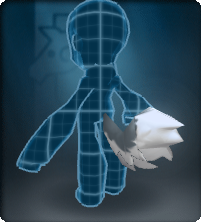
|
Armor rear |
tail (life) |
An animated furry tail. |
| Parrying Blade | 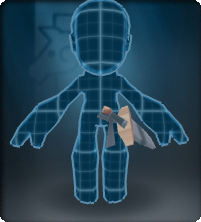
|
Armor front |
weapon (sword) |
A sword attached via a sash to the hip. Tends to flop. |
| Round Shades | 
|
Helmet front |
lens | Eye gear composed of large round lenses. |
| Tails Tails | 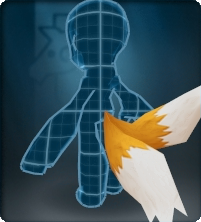
|
Armor rear |
tail (life) |
A unique animated accessory reminiscent of the Sonic character Miles Prower.Wikipedia |
| Dragon Wings | 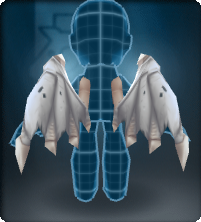
|
Armor back |
wings (dragon) |
an animated pair of bat-like/reptilian wings. |
| Crest | 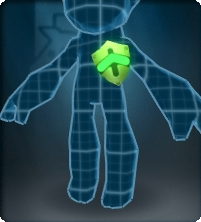
|
Armor front |
jewelry (pin) |
An object signifying affiliation, achievements, and/or rank. |
| Valkyrie Wings | 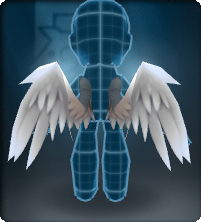
|
Armor back |
wings (valkyrie) |
An animated pair of feathered wings. |
| Birthday Candle | 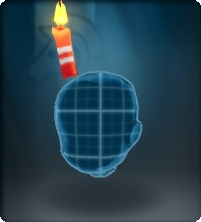
|
Helmet top |
misc | An animated flame burns on top of a striped candle. |
| Party Blowout | 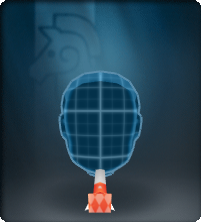
|
Helmet front |
misc | An animated celebratory object resembling a flicking tongue. |
| Party Hat | 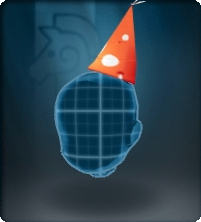
|
Helmet top |
hat | A celebratory hat shaped like a cone. |
| Monster Pocket | 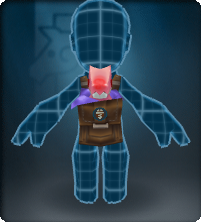
|
Armor front |
life | An animated baby monster kept in a pouch like a pet. Includes Seedling Sample accessories. |
| Cat Tail | 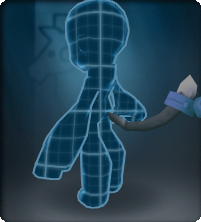
|
Armor rear |
tail (life) |
An animated skinny tail with a noiseless bell. |
| Extra Vertical Vents | 
|
Helmet side |
ears | Tall "rabbit ear-like" objects. |
| Crest (centered) | 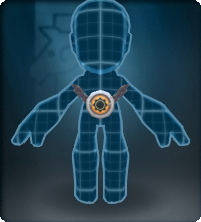
|
Armor front |
jewelry (necklace) |
An amulet-like object that seems to hang around the neck via chains. Often has a sheen and a miniature "aura." |
| Crown | 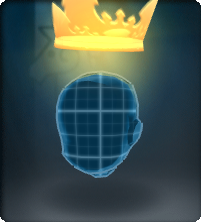
|
Helmet top |
jewelry (crown) |
An animated, slightly translucent crown hovers above the head. It seems to flicker like a hologram. |
| Golden Laurel | 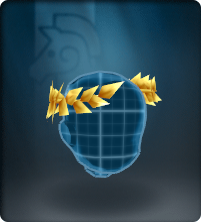
|
Helmet side |
plant | A unique accessory. Metallic golden olive branches (or leaves, viney plants, etc.) encircle the head. They frequently twinkle. |
| Striped Scarf | 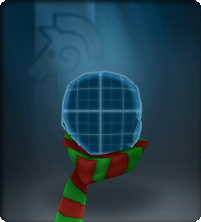
|
Helmet back |
cloth | An animated scarf with twinkling orange (noiseless) bells that commemorates Winterfest. |
| Eye of Fury | 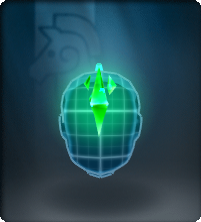
|
Helmet front |
jewelry (crystal) |
An animated jewel that sparkles on its own hovers in front of the forehead. |
| Wings (special) | 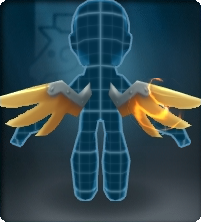
|
Armor back |
wings | An animated pair of shiny angled wings that spark. |
| Anti-Spikes | 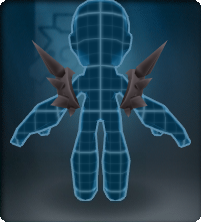
|
Armor back |
pauldrons (spikes) |
A pair of spikey pauldrons favored by dauntless NPCs. |
| Crown | 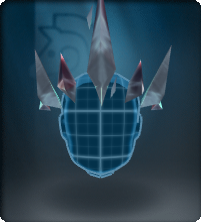
|
Helmet top |
jewelry (crown) |
A tiara-like, crystalline crown that seems to be made of shards. |
| Disciple Wings | 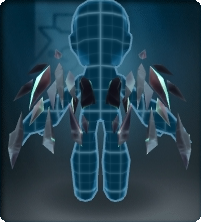
|
Armor back |
wings (disciple) |
An animated pair of flapping crystalline wings that seem to be made of shards. |
| Polar Wolver Tail | 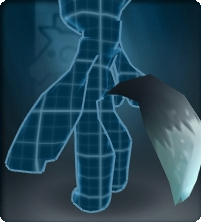
|
Armor rear |
tail (life) |
A unique animated accessory that is very different from the other Wolver Tails. |
| Prismatic Ruinous Crystal | 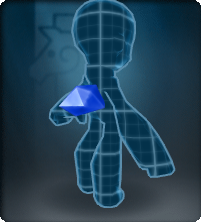
|
Armor back |
jewelry (crystal) |
A unique mineral-like object that sparks with energy. |
| Trojan Tail | 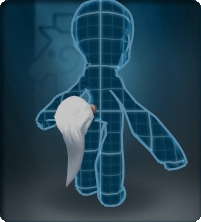
|
Armor rear |
tail | A plume-like curly tail resembling hair. |
| Crest of Love | 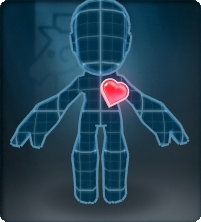
|
Armor front |
life | A unique animated accessory. It a beating heart reminiscent of a Love Puppy. |
| Power Pistons | 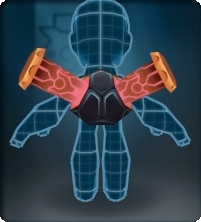
|
Armor back |
misc | A unique animated accessory that mimics the missile launchers on the back of the Tortodrone monster, minus the missiles. |
| Plasma Wings | 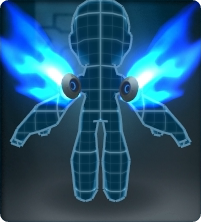
|
Armor back |
wings (plasma) |
An animated pair of wings that burn blue in a cosmic fashion. |
| Grand Topper | 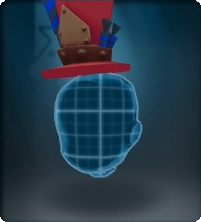
|
Helmet top |
hat | A tall animated hat with sparking celebratory decorations. |
| Bent Vertical Vents | 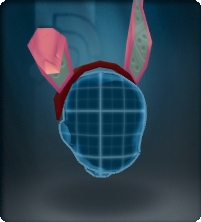
|
Helmet side |
ears | Tall, asymmetrical "rabbit ear-like" objects attached via a headband. |
| Dust Bunny Tail | 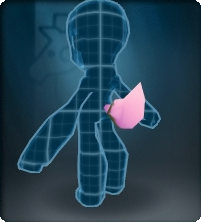
|
Armor rear |
tail (life) |
An animated tail that constantly bobs up and down and side to side. |
| Whiskers | 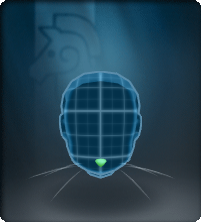
|
Helmet front |
life | A pair of wispy whiskers and a small nose. |
| Dread Seal | 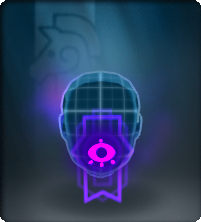
|
Helmet front |
misc | A unique animated accessory resembling a cursed piece of paper. |
| Dread Wings | 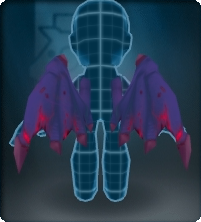
|
Armor back |
wings (dragon) |
A pair of animated flapping wings much like the Dragon Wings in shape and behavior. They seem to vibrate with dark mewgics. |
| Prismatic Dazzling Gem | 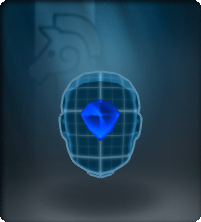
|
Helmet front |
jewelry (crystal) |
A unique accessory that mimics the Seraphynx's ultimate look for the Dazzling Light Ray. |
| Prismatic Heavenly Halo | 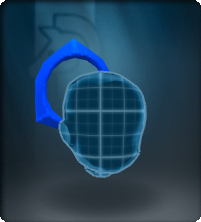
|
Helmet back |
halo | A unique accessory that mimics the Seraphynx's ultimate look for the Iron Heart Attack. Its position is similar to the object on the Heavenly Iron Helm. |
| Prismatic Seraph'tenna | 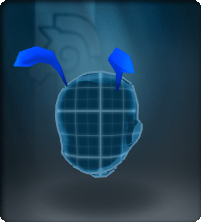
|
Helmet top |
life | A unique accessory that mimics the Seraphynx's ultimate look for the Disintegration Ray. |
| Prismatic Seraph Wings | 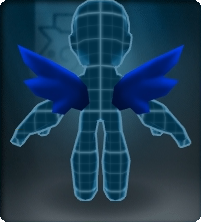
|
Armor back |
wings (seraph) |
A unique animated accessory that mimics the flapping wings on a Seraphynx. |
| Tome of Rage | 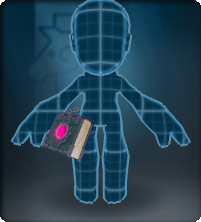
|
Armor front |
misc | A glowing book-like object attached via a chain to the hip. Tends to flop, though the papers within stay shut. |
| Wings of Summer | 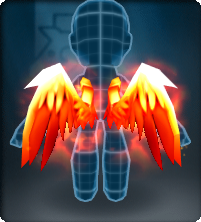
|
Armor back |
wings (valkyrie) |
A pair of burning flapping wings much like the Valkyrie Wings in shape and behavior. |
| Wings of Winter | 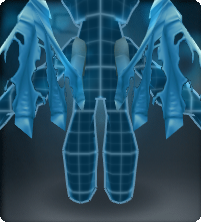
|
Armor back |
wings (dragon) |
A pair of shredded flapping wings much like the Dragon Wings in shape and behavior. |
| Headlamp | 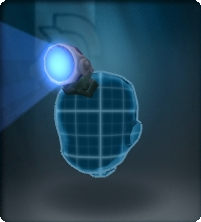
|
Helmet top |
misc | A glowing light casts a bright beam. |
| Munitions Pack | 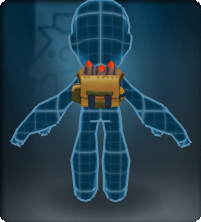
|
Armor back |
container | A small pack of explosives. |
| Rebreather | 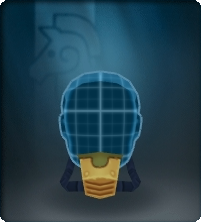
|
Helmet front |
tech | A mask that covers the mouth area. |
| Vial Bandolier | 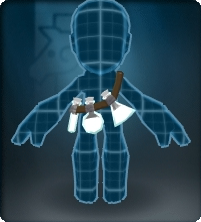
|
Armor front |
weapon (pickup) |
Three pickup vials are attached via a sash. |
| Node Container | 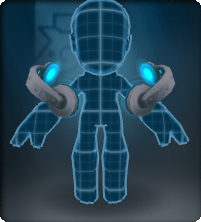
|
Armor front |
pauldrons | An animated, pauldron-like object pulses with light. |
| Node Receiver | 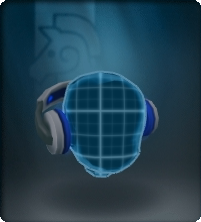
|
Helmet side |
tech | An animated headphones-like object pulses with light. |
| Writhing Tendrils | 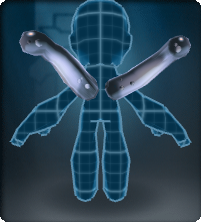
|
Armor back |
life | Two undulating, wiggling, tentacle-like structures are attached to the shoulder area. |
| Giga Shades | 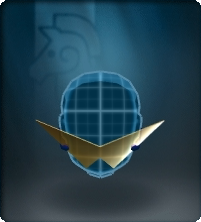
|
Helmet front |
lens | Eye gear composed of sharply angled lenses. |
| Intel Tube | 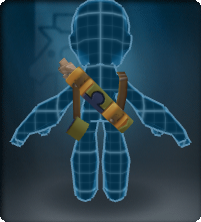
|
Armor back |
container | An open cylindrical container storing what appear to be important papers. |
| Targeting Module | 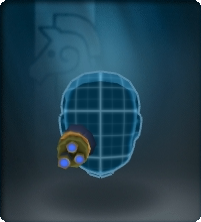
|
Helmet front |
tech | Asymmetrical eye gear that seems to be an animated, sort of tech. |
| Aero Fin | 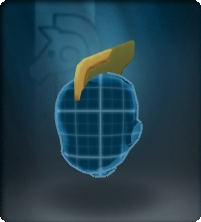
|
Helmet top |
misc | A flat, angled object that sweeps from the forehead to the back. |
| Ankle Booster | 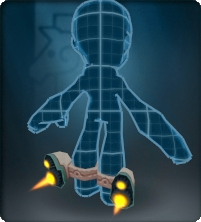
|
Armor ankle |
misc | An animated pair of anklets featuring burning jets out the back. |
| Shoulder Booster | 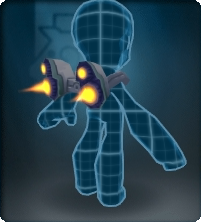
|
Armor back |
misc | An animated pair of objects featuring burning jets out the back. |
| Gremlin Goggles | 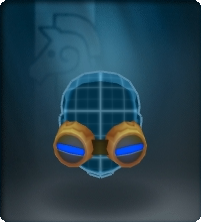
|
Helmet front |
tech | Eye gear resembling construction tech. |
| Exhaust Pipes | 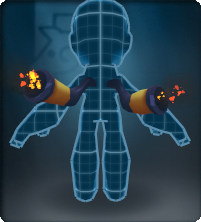
|
Armor back |
misc | Animated pipes that belch burning particles. They mimic the pipes on the Mecha Knight monster. |
| Gear Halo | 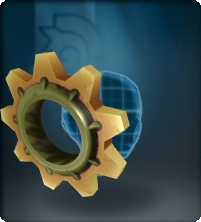
|
Helmet back |
halo | A round, shiny, gear-shaped ring. |
| Prismatic Pylons | 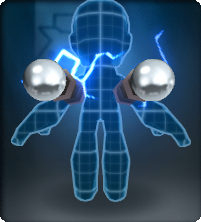
|
Armor back |
pauldrons | A unique animated accessory that sparks with prismatic electricity. It is a "unique" accessory, but it mimics the object on the Mercurial Demo Suit. |
| Wind-up Key | 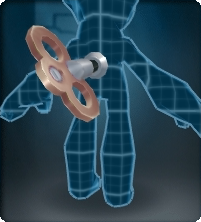
|
Armor back |
misc | An animated key slowly rotates on the player's back. |
| Wrench | 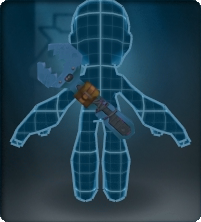
|
Armor back |
weapon (sword) |
A wrench-like tool hovers on the player's back. It is somewhat similar to swords like the Robo Wrecker. |
| Devious Horns | 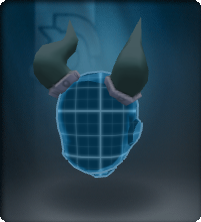
|
Helmet top |
horns | Two large curved horns. They mimic the horns on the Pit Boss devilite monster. |
| Sensor Unit | 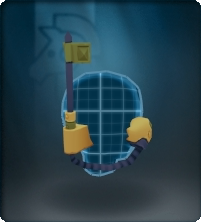
|
Helmet back |
tech | An animated bit of tech that resembles an antenna. |
| Binoculars | 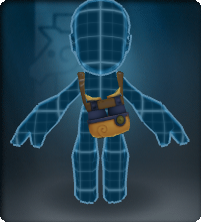
|
Armor front |
tech | Eye-gear resembling tech used for long-distance viewing hangs around the neck. |
| Venom Fiend Wings | 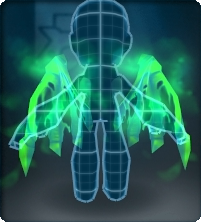
|
Armor back |
wings (dragon) |
An animated pair of glowing green wings that have a shredded look and constantly shed a poisonous mist. |
| Monocle | 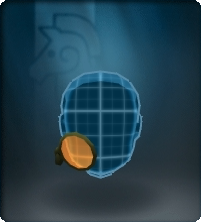
|
Helmet front |
lens | A rather dapper piece of eye gear, consisting of a single asymmetrical lens. |
| Shackles | 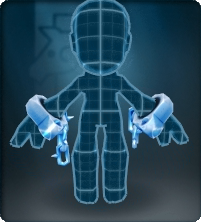
|
Armor front |
misc | Spiky, broken handcuffs. |
| Arctic Pauldrons | 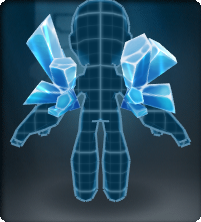
|
Armor back |
pauldrons | Two large clusters of ice crystals. |
| Extension Cord | 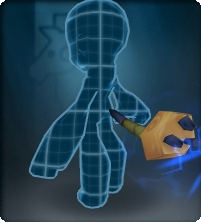
|
Armor rear |
tail | An animated wire with a prismatic sparking plug that behaves much like the cat tail. |
| Prismatic Voltaic Headset | 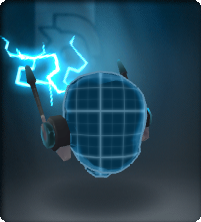
|
Helmet side |
tech | A sparking pair of mech'tenna-like tennas. |
| Spiralhorns | 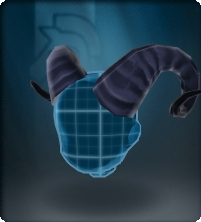
|
Helmet top |
horns | A twisted pair of horns with a sheen, reminiscent of a goat or ram. |
| Sealed Pauldrons | 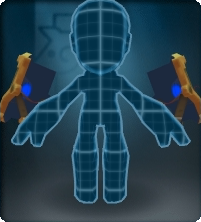
|
Armor front |
pauldrons | A heavy pair of levitating rectangular plates that float over the arms. |
| Seeing Stars Halo | 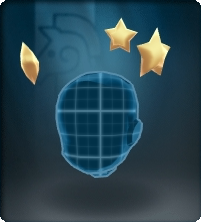
|
Helmet top |
halo | A halo composed of 3 animated stars. |
| Stagger Star | 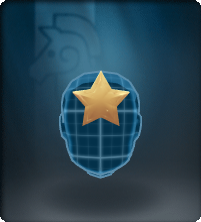
|
Helmet front |
jewelry | A thick star attached to the forehead. |
| Stunning Shades | 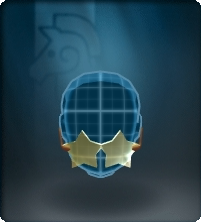
|
Helmet front |
lens | Eye gear composed of star-shaped lenses. |
| Clockwork Crest | 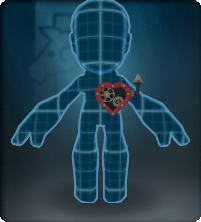
|
Armor front |
misc | An animated, heart-shaped crest with moving gears and a tiny pipe. |
| Splendid Topper | 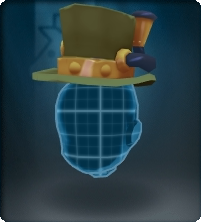
|
Helmet top |
hat | An animated top hat with a single puffing exhaust pipe and rotating gears in the side. |
| Floating Gems | 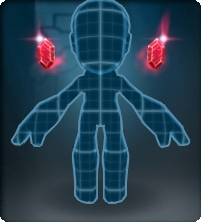
|
Armor front |
jewelry | A pair of faceted, shiny gems float over the shoulders. They also twinkle and burn with colorful flames. |
| Magmatic Fanatic Wings | 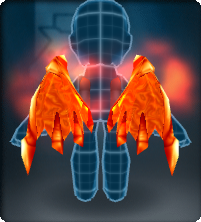
|
Armor back |
wings (dragon) |
A pair of animated flapping wings much like the Dragon Wings in shape and behavior. They blaze with burning energies. |
| Disguise Kit | 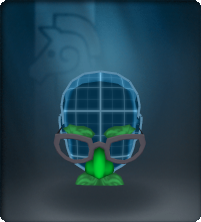
|
Helmet front |
lens (pseudo) |
A suspicious accessory reminiscent of real-world Groucho Glasses. |
| Lumberfell Beard | 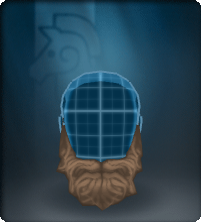
|
Helmet front |
hair | A hair piece styled similar to a real-world full beard. |
| Smashing Mustache | 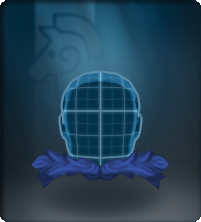
|
Helmet front |
hair | A hair piece styled similar to the real-world walrus mustache. |
| Wise Whiskers | 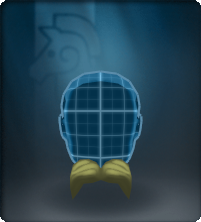
|
Helmet front |
hair | A hair piece styled similar to the real-world Fu Manchu moustache. |
| Wolver Chops | 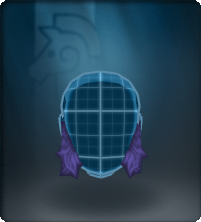
|
Helmet front |
hair | A hair piece styled similar to real-world sideburns. |
| Snipe Perch | 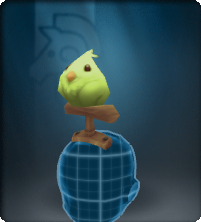
|
Helmet top |
life | A snipe perched on a T-shaped piece of wood, similar to the ones seen on strangers. |
| Slippers | 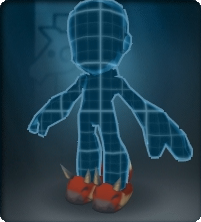
|
Armor ankle |
cloth | A pair of slippers. |
| Spiraltail | 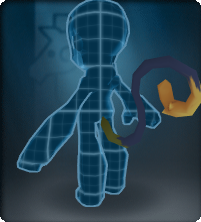
|
Armor rear |
life | An animated furry monkey tail. |
| Buhgok Tail | 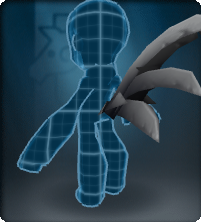
|
Armor rear |
life | A buhgok tail |
| Clover | 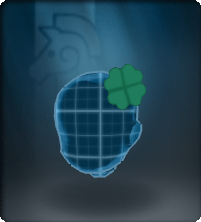
|
Helmet top |
life (plant) |
A 4-petal clover |
| Lapel Clover | 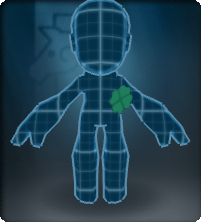
|
Armor front |
life (plant) |
A 4-petal clover attached to the armor |
| Lucky Topper | 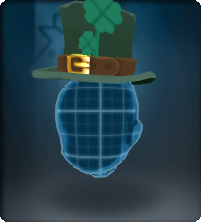
|
Helmet top |
hat | A tall hat with clover decorations and a belt. |
| Raider Helm Crest | 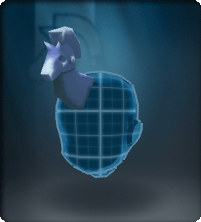
|
Helmet top |
misc | A horse decoration for the helmet |
| Raider Horns | 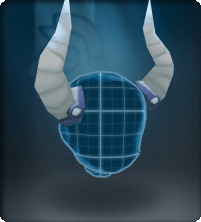
|
Helmet side |
horns | A pair of Viking's horns |
| Braided Beard | 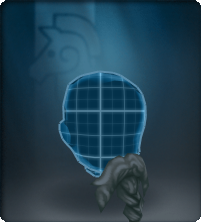
|
Helmet front |
hair | A hair piece styled similar to the real-world Viking's breaided beard. |
| Braided Plume | 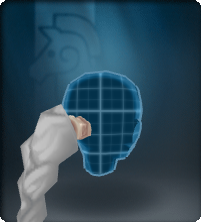
|
Helmet back |
hair | A hair piece styled similar to a braid. |
| Boutonniere | 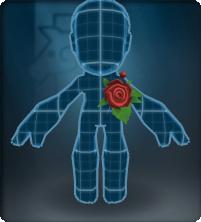
|
Armor front |
life (plant) |
A big rose with leafs. |
| Rose | 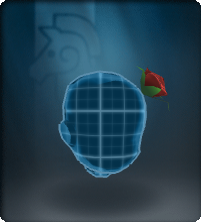
|
Helmet side |
life (plant) |
A big rose with leafs. |
| Eye Patch | 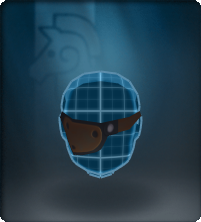
|
Helmet front |
cloth | Some cloth or fabric used to hide one of the eyes. |
| Wayward Compass | 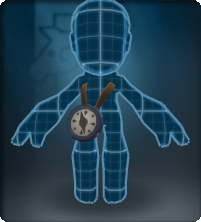
|
Armor front |
misc | A compass attached with a belt to the chest.
|
| Carabiner | 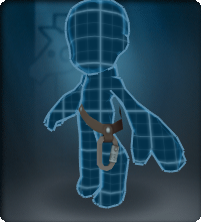
|
Armor front |
misc | A carabiner attached to a belt. |
| Coiled Rope | 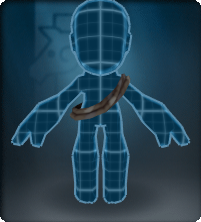
|
Armor front |
misc | A coiled rope hanging aroung the torso. |
| Ear Muffs | 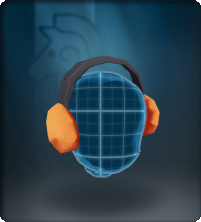
|
Helmet side |
hat (muffs) |
A pair of ear muffs. |
| Snow Goggles | 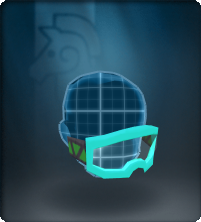
|
Helmet front |
lens | A pair of googles made for snow. |
| CozZzy Halo | 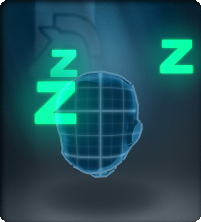
|
Helmet top |
halo | A halo composed of 3 animated Zs. |
| Checkered Scarf | 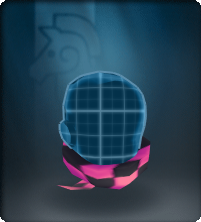
|
Helmet back |
cloth | Some cloth or fabric wrapped around the neck with checkered patterns. |
| Doggie Tail | 
|
Armor rear |
tail (life) |
An animated dog tail. |
| Alpha Vertical Vents | 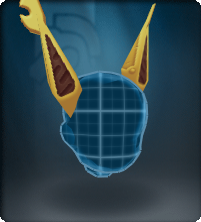
|
Helmet side |
ears | A pair of mechanical ears the resembles those of an Alpha Wolver. |
| Treat Pouch | 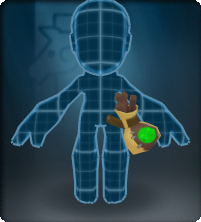
|
Armor front |
container | A container of bone treats attached to the belt. |
| Chaff Pack | 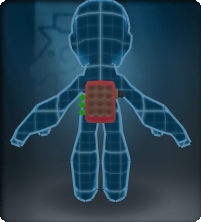
|
Armor back |
misc | A pack of chaff styled similar to the real-world chaff (countermeasure). |
| Swing Wings | 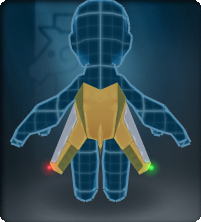
|
Armor back |
wings | A pair of mechanical wings that resembles those from aircrafts. |
| Top Prop | 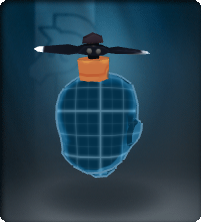
|
Helmet top |
misc | A propeller at the top of the head that spins. |
| Com Dish | 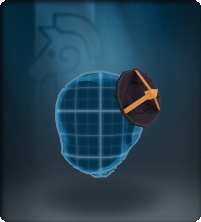
|
Helmet top |
tech | A communication dish constantly sending signals. |
| Handy Propellors | 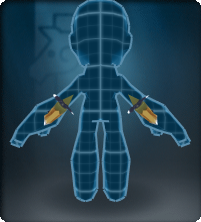
|
Armor front |
misc | A pair of tiny propellers attached to the arms of the knight. |
| Helm Wings | 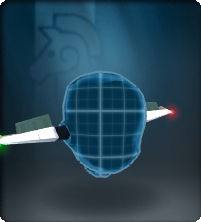
|
Helmet side |
misc | A pair of mechanical wings with lights. |
| Pop'tennas | 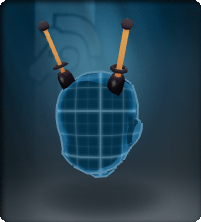
|
Helmet top |
tech | A pair of large antennas. |
| Tailspin | 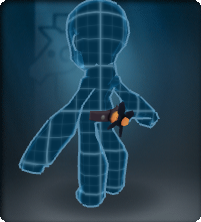
|
Armor rear |
misc | A spinning propeller attached to a belt in the knight's lower back. |
| Aero Spoiler | 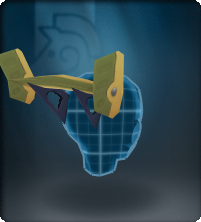
|
Helmet back |
misc | A small "car-like" spoiler in the back of the helmet. |
| Ankle Fins | 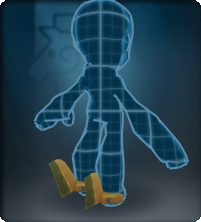
|
Armor ankle |
misc | A pair of mechanical fins. |
| Ankle Spoilers | 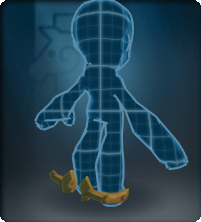
|
Armor ankle |
misc | A pair of tiny "car-like" spoilers. |
| Ankle Wings | 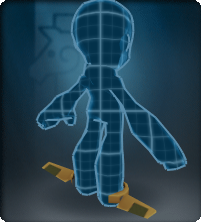
|
Armor ankle |
misc | A pair of tiny wings attached to the ankle. |
| Aero Twin Fin | 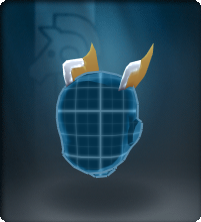
|
Helmet top |
misc | A pair of mechanical fins. |
| Camera | 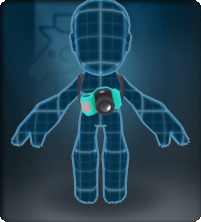
|
Armor front |
tech | An old fashioned camera. |
| Radio | 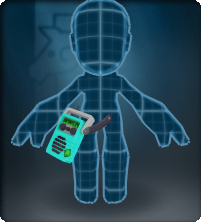
|
Armor front |
tech | An old fashioned portable radio. |
| Snorkel | 
|
Helmet side |
misc | A "plastic" snorkel. |
| Sun Shades | 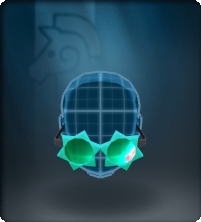
|
Helmet front |
lens | A pair of shades with the shapes of a sun. |
| Test Kit | 
|
Armor front |
weapon (pickup) |
Three pickup vials are attached via a sash. |
| Burying Spade | 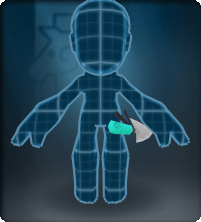
|
Armor front |
misc | A gardening spade. |
| Side Spade | 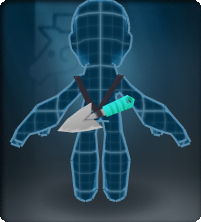
|
Armor back |
misc | A gardening spade hanging in the knight's back. |
| Plant Fuel | 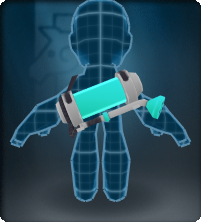
|
Armor back |
container | A gardening sprayer. |
| Daisy Crown | 
|
Helmet top |
life (plant) |
A crown of Daisy's flowers. |
| Daisy Chain | 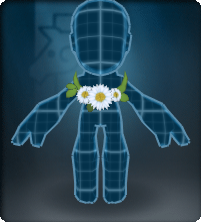
|
Armor front |
life (plant) |
A necklace of Daisy's flowers. |
| Hibiscus Crown | 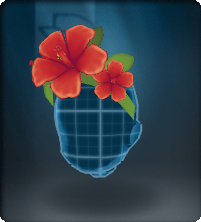
|
Helmet top |
life (plant) |
A crown of Hibiscus's flowers. |
| Hibiscus Chain | 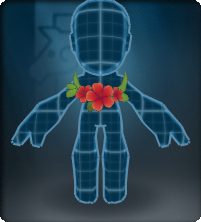
|
Armor front |
life (plant) |
A necklace of Hibiscus's flowers. |
| Frasera Crown | 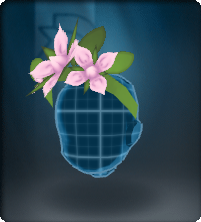
|
Helmet top |
life (plant) |
A crown of Frasera's flowers. |
| Frasera Chain | 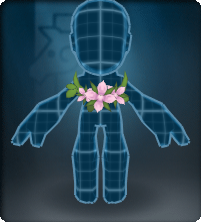
|
Armor front |
life (plant) |
A necklace of Frasera's flowers. |
| Leaf Crown | 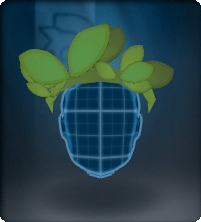
|
Helmet top |
life (plant) |
A crown of leaves. |
| Leaf Chain | 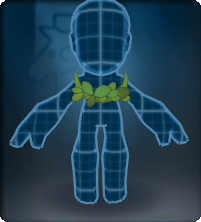
|
Armor front |
life (plant) |
A necklace of leaves. |
| Ancient Scroll | 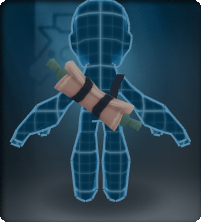
|
Armor back |
misc | An old scroll rolled and holded with belts. |
| Astrolabe | 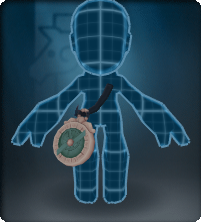
|
Armor front |
misc | An astrolabe attached to its own belt. |
| Ear Feathers | 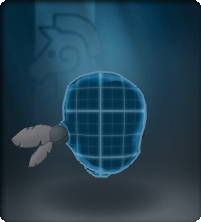
|
Helmet side |
hair | A pair of feather's decorations. |
| Owlite Pipe | 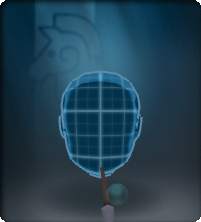
|
Helmet front |
misc | A long pipe with bubble effects. |
| Owlite Spectacles | 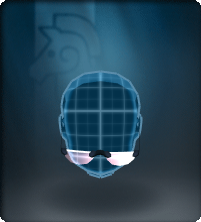
|
Helmet front |
lens | A pair of spectacles. |
| Ritualist Pack | 
|
Armor back |
container | A little backpack filled with candles and a hanging scroll. |
| Scholarly Tam | 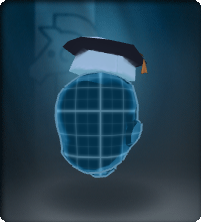
|
Helmet top |
hat | A tiny graduation cap. |
| Sash Bag | 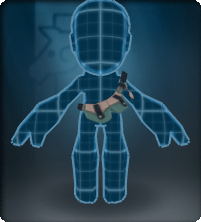
|
Armor front |
container | A piece of cloth. |
| Warding Candle | 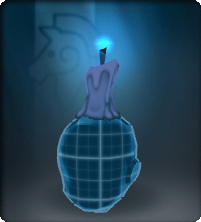
|
Helmet top |
misc | A lit melting candle with a blue fire. |
| Hoghawk | 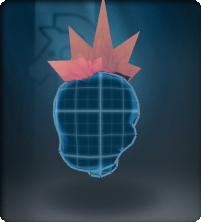
|
Helmet top |
misc | A central hair piece with 5 spikes. |
| Pigtails | 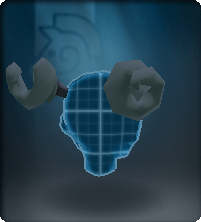
|
Helmet back |
hair | A pair of pigtails. |
| Pig Tail | 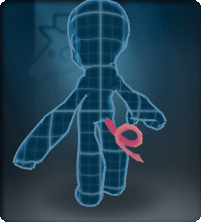
|
Armor rear |
tail | A pig tail |
| Porkular Vents | 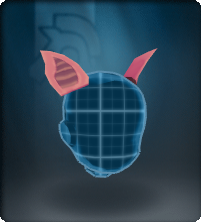
|
Helmet side |
ears | A pair of "pig-like" ears. |
| Razorback Pack | 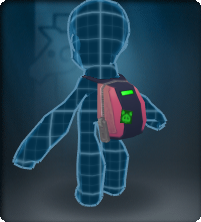
|
Armor back |
container | A backpack with a zipper and a "pig-like" sticker. |
| Trotters | 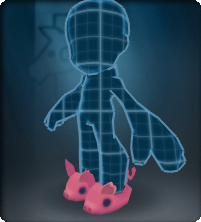
|
Armor ankle |
cloth | A pair of slippers with the shape of a pig. |
| Truffle Snuffler | 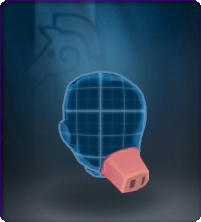
|
Helmet front |
tech | A mask that covers the mouth area and looks like a pig's nose. |
| Broom | 
|
Armor back |
misc | A wizard's broom. |
| Cauldron | 
|
Armor back |
misc | A witch's cauldron with boiling liquid inside and a status bottle attached to the side. |
| Grizzled Gorget | 
|
Helmet front |
misc | An ironed beard. |
| Hexagram Wings | 
|
Armor back |
wings (insect) |
Holographic wings with hexagonal patterns. |
| Hive Wings | 
|
Armor back |
wings (insect) |
Bug's mechanical wings. |
| Tympanal Panels | 
|
Helmet side |
antennas (life) |
Two panels with hexagonal forms. |
| Ant'tennas | 
|
Helmet top |
antennas (life) |
Ant antennas. |
| Bee'tennas | 
|
Helmet top |
antennas (life) |
Bee antennas. |
| Bar'tennas | 
|
Helmet top |
antennas (life) |
Bug antennas. |
| Bug'tennas | 
|
Helmet top |
antennas (life) |
Bug antennas. |
| Stagsect Mandible | 
|
Helmet top |
horns | Two long horns that some bug's have. |
| Beetlebrow Horn | 
|
Helmet top |
horns | A beetle's horn. |
| Hexules Horns | 
|
Helmet top |
horns | Two horns, one large and one shorter, that some bug's have. |
| Tiara | 
|
Helmet top |
jewelry (tiara) |
A tiara decorated with a jewel at the center with a shiny effect. |
| Harlequin Tutu | 
|
Armor front |
cloth | A small skirt with harlequin patterns. |
| Winter Wind-Up Key | 
|
Armor back |
misc | An animated winter themed key slowly rotates on the player's back. |
| Toy Drum | 
|
Armor back |
misc | A big drum carried on the back with the drumsticks on the top. |
| Toy Ribbon | 
|
Armor back |
cloth | A big ribbon tied on the player's back. |
| Toy Sword | 
|
Armor front |
weapon (sword) |
A toy sword attached via a sash to the hip. |
| Ornament Bandolier | 
|
Armor front |
misc | A pair of slippers with a bell in each one that makes sounds when you walk. |
| Jingletoe Slippers | 
|
Armor ankle |
cloth | A pair of ear muffs without a headband. |
| Soldier Ear Muffs | 
|
Helmet side |
hat (muffs) |
One button that hides one of the player's eyes. |
| Button Eye | 
|
Helmet front |
cloth | A hair piece styled similar to a Nutcracker beard. |
| Nutcracker Beard | 
|
Helmet front |
hair | A hair piece styled similar to a Nutcracker beard. |
| Toy Soldier Beard | 
|
Helmet front |
hair | A hair piece styled similar to a christmas' toy soldier. |
